
Stamps instead of post counts
Nobody ranks up for posting a lot. Stamps show when someone arrived and where they've posted. You design your own, and members choose up to six to wear.
atmoBB brings phpBB-style forums to the AT Protocol. Boards, threads, signatures, avatars, stamps, a webring. People on Bluesky, Leaflet, Tangled or any other app on the network log in with the account they already have, and their posts stay in it.
Don't want to run a server? I host forums too, for free. Request one and I'll approve it.
explore more apps on AT Store ↗who can join?
An atmosphere account is one login that works across Bluesky, Leaflet and the other apps on the network. They type their handle, approve your forum on their own provider's sign-in page, and they're in. Your forum never sees a password. Anyone without one can make a free Bluesky account and use it here.
Already use Bluesky, Leaflet, or another app on the network? That's your atmosphere account. Log in with it here. You don't need a separate forum account.
Your account provider handles sign-in, so atmobb never sees your password. You'll review the permissions atmobb requests before continuing.
It's an account that works across Bluesky, Leaflet, and other apps on the same network. You can use that account here too.
 Bluesky
 Leaflet
 Surf
 Spark
 pckt
 PDSls
 plyr.fm
 Tangled
 BookHive
 Grain create an account on Bluesky →
what will it look like?
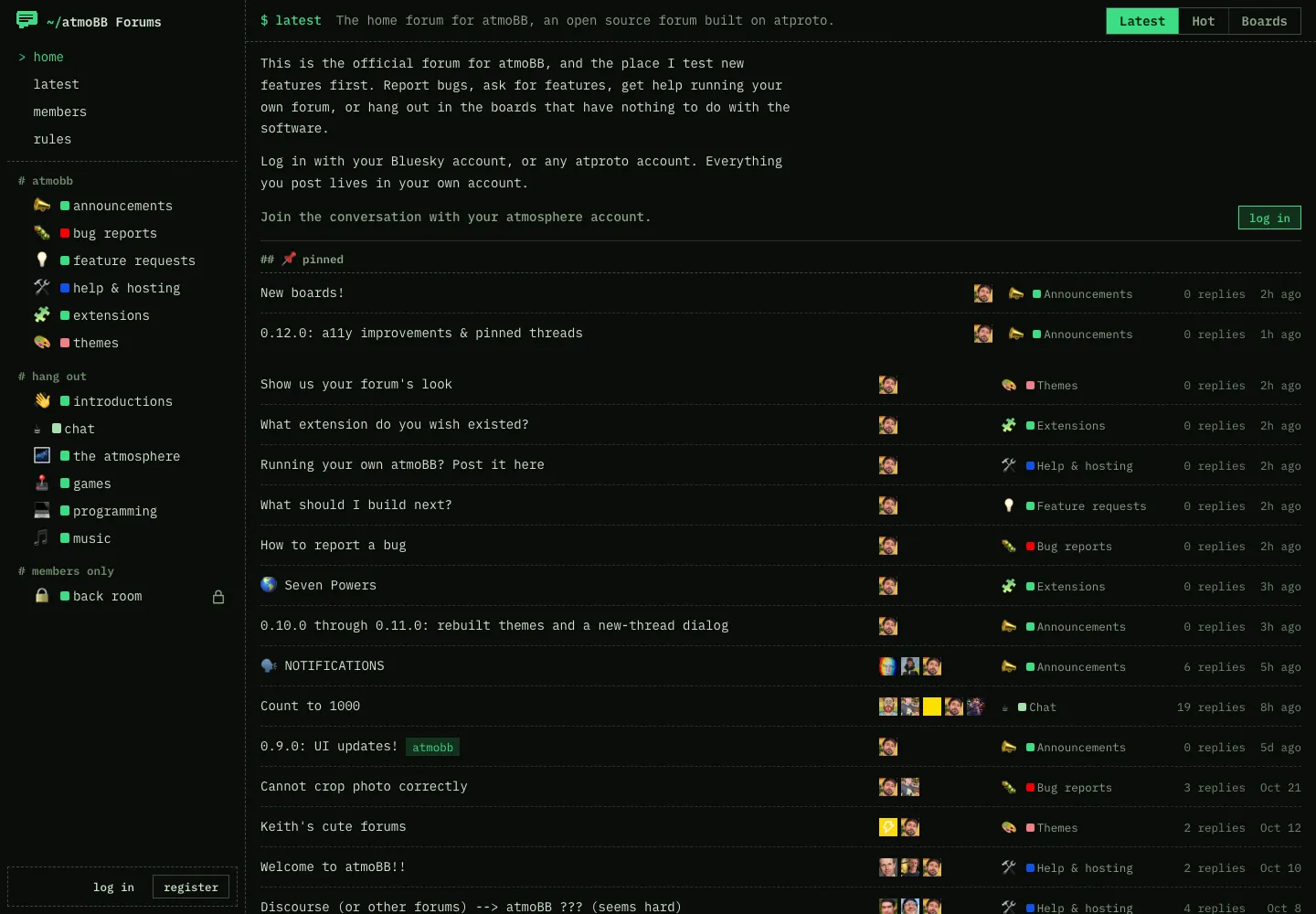
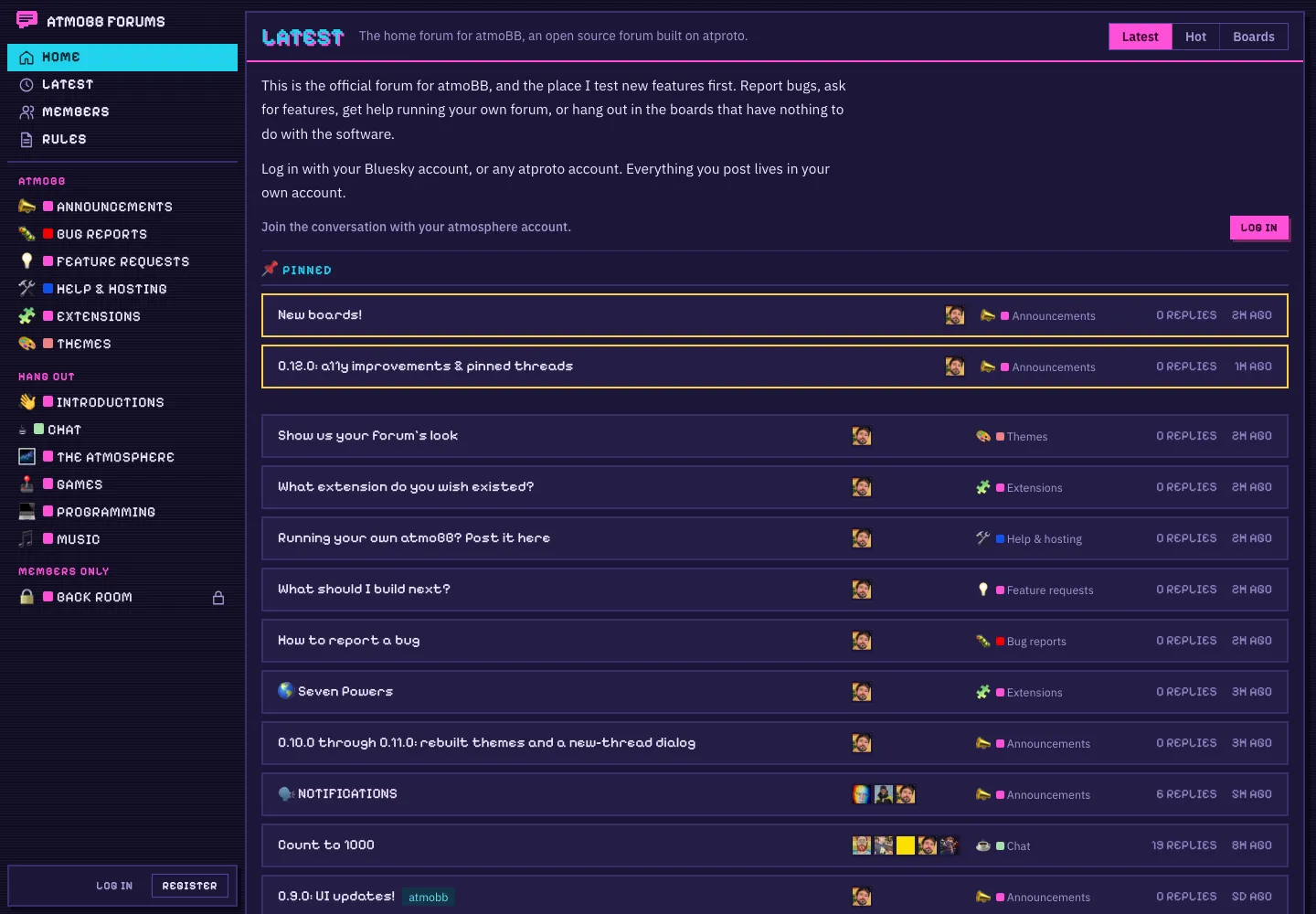
New forums start in Atmosphere. Pick another in the admin panel, then add your own CSS and up to 12 webfonts on top. The six light themes go dark when a visitor's device is in dark mode. Custom CSS never touches the admin panel, so you can always get back in and fix a broken theme.


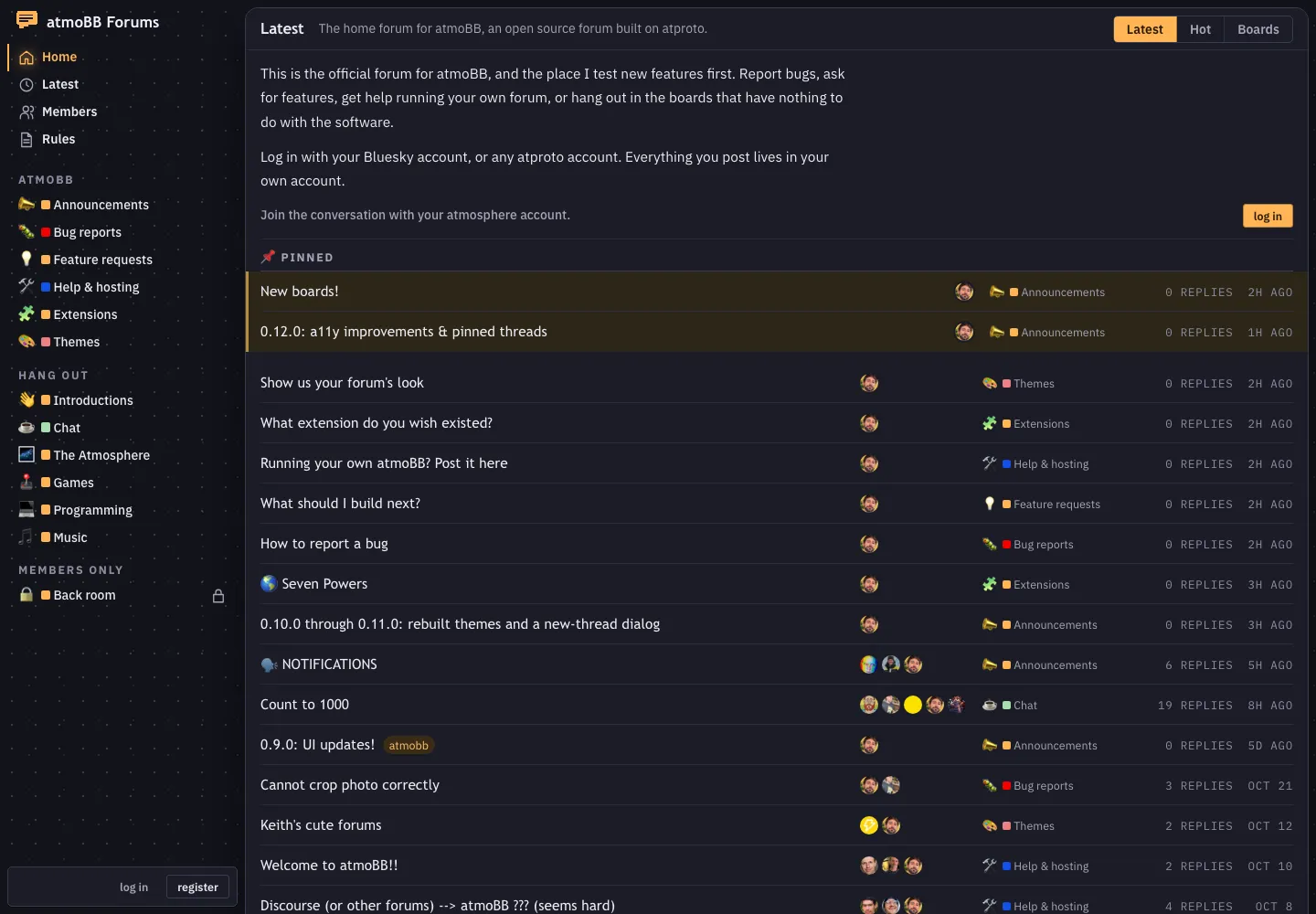
Atmosphere. A tinted sidebar with pill navigation beside one flat sheet. New forums start here.
Coral. One card on a warm grey ground, with coral buttons. The original atmoBB look.
Bulletin. A 2004 message board: small Verdana, boxed tables, gradient header bars.
Bubblegum. Sticker-sheet cards with thick outlines in pink and aqua.
Graphite. Dense and quiet, like an issue tracker.
Daydream. A soft gradient sky behind frosted, rounded panels.
Midnight. Navy panels on a star field, with amber for unread. Dark only.
Terminal. Monospace on near-black, with phosphor green and dashed rules. Dark only.
Arcade. Pixel headings and square corners in cyan and magenta on indigo. Dark only.
Every screenshot here is the atmoBB forum.
how do I run it?
Boards, stamps, staff, members, shared topics, extensions and updates each get their own page. When you save, the panel waits until the change has reached the index, so it never shows you stale settings.
what about other forums?
Give a board a topic, like gaming, and its threads merge with every board on the network using the
same topic. Shared threads say which forum they came from and link back to it. You can share a topic with every
forum, just the ones you list, or nobody.
Pixel Pals is an example forum, drawn in the Bubblegum theme.
Every atmoBB forum is listed in the directory and linked from the webring, so your next member might wander in from someone else's forum.
what else is in there?
Nobody ranks up for posting a lot. Stamps show when someone arrived and where they've posted. You design your own, and members choose up to six to wear.
A poll takes 2 to 10 options and can close after a set number of days. Spoilers stay hidden until clicked, and quoting a post links back to it.
Members pick a skin and a banner, then choose which panels show up and in what order. There's a guestbook!
Replies, quotes and @mentions go out through atmo.pub, and each member picks the channel. The forum sends and atmo.pub delivers.
Paste a repository's URL to add an extension. It runs in a sandbox and can only write the records you approved when you reviewed it.
A who's-online box with the all-time record, and up to three blocks of signature under every post. Very phpBB.
what's missing?
I built atmoBB for myself and it's offered as-is, with no roadmap. If you want something different, you can just build it.
how do I get it?
Free and MIT licensed. You need a Linux server with Docker Compose 2.20 or newer, and two hostnames pointed at it: one for the forum and one for its indexer.
curl --proto '=https' --tlsv1.2 -fsSL https://raw.githubusercontent.com/keithk/atmoBB/main/install.sh | shThe installer asks for your forum's hostname, your handle and the forum's handle, then shows the whole plan before it changes anything.
self-hosting guideFree. Request a forum and I'll approve it. I run the server and the updates, and you bring an atmosphere account for the forum itself.
request a forum